Help
Find answers in the app
Open the User Manual inside MovesBook and search it, or use Search to jump to any screen or tool.
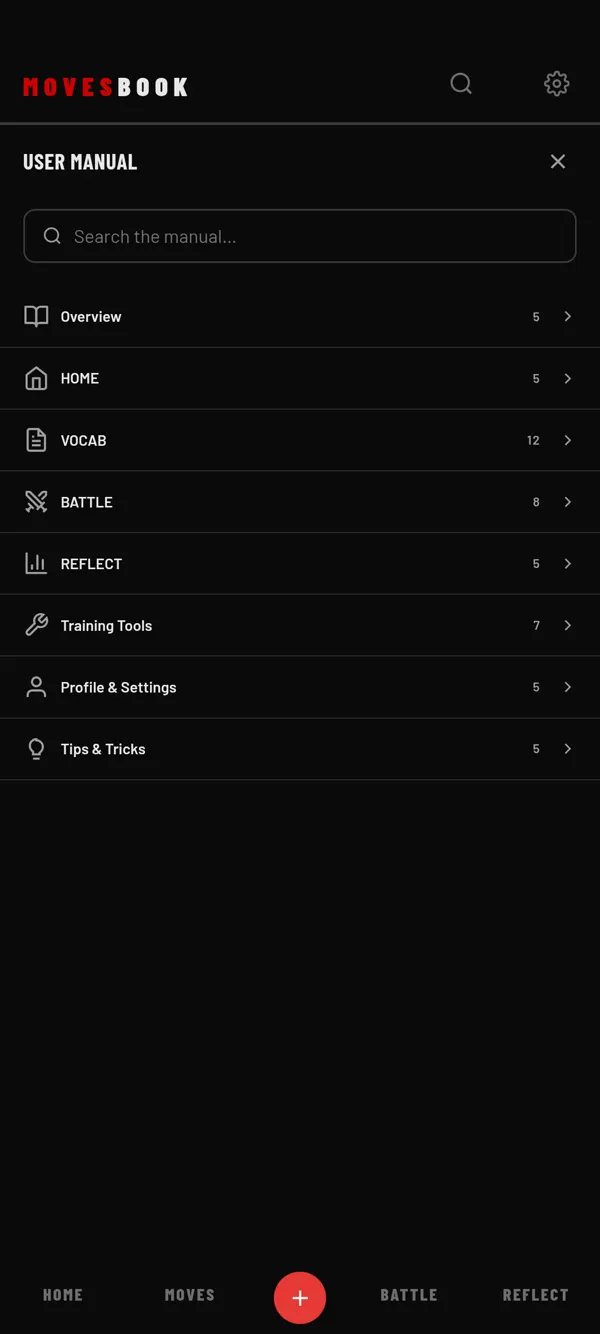
Steps
- Tap the gear at the top right of the header. SETTINGS opens.
- Tap USER MANUAL, the first button.
- Tap a section to open it, like HOME or Training Tools. The number next to it shows how many topics it holds.
- Tap the section again to close it.
- Tap the X at the top to close the manual.
Search the manual
- Type a word in "Search the manual…".
- Every section with a match opens, and your word is highlighted.
- The number of results shows under the box.
If nothing matches, you see "Nothing found". Try different words. Tap the small X in the box to clear it.
Other ways in
- Tap the magnifier in the header and type "manual". Tap User manual under FEATURES / FUNCTIONS. See Search MovesBook.
- In MY PROFILE, tap Show settings, then USER MANUAL.
Good to know
- The manual shows in your app language. See Change the language.
- It works without internet.
- The manual calls the MOVES tab "VOCAB". It is the same tab.
Last checked against app version 2.8.0.