Battles
Add rivals, sparring mates and crew
Keep a card for each dancer you battle, train with or rep with: their style, their go-to moves and your game plan.
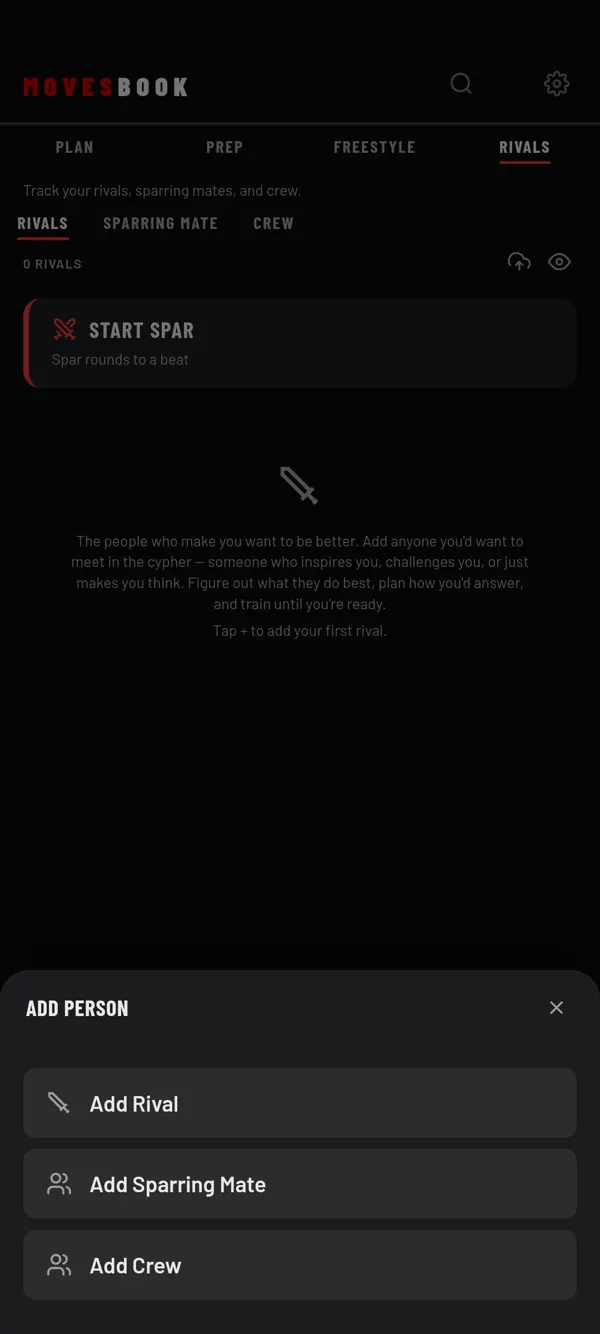
Steps
- Tap BATTLE, then RIVALS.
- Tap +. ADD PERSON opens.
- Tap Add Rival, Add Sparring Mate or Add Crew.
- Type a NAME. It is the only field you must fill in.
- Fill in what you know (see below).
- Tap SAVE.
The person shows under the matching tab: RIVALS, SPARRING MATE or CREW.
What you can keep
- PHOTO, NAME and TYPE
- CREW (their crew or team; not asked for crew members), CITY, INSTAGRAM, STANCE
- THEIR STRENGTHS and SIGNATURE MOVES
- GAME PLAN: your strategy against them
- CONFIDENCE: how you would feel if you battled them tomorrow
- WHEN and WHERE you might meet them
- SPAR JOURNAL: notes about training with them
- VIDEO REFERENCE: links to their footage, with an optional label
Change or delete a person
Tap a card to open it. Change what you want and tap SAVE. To delete, open the card and tap DELETE RIVAL (or DELETE SPARRING MATE, DELETE CREW MEMBER). You can also swipe the card and tap the bin. Tap UNDO in the message if you change your mind.
Log a battle against them
Open the person and tap ⚔️ LOG A BATTLE. The form opens with them as the first round's opponent. See Log a battle. After you save, the app asks if you still feel the same about a future battle.
Their BATTLE HISTORY lists every battle where a round's opponent is linked to them.
Free limit
Free keeps 3 people in total, across all three tabs. The ADD PERSON sheet shows, for example, 2 OF 3 PEOPLE. Adding a fourth opens the plans sheet. Deleting a person frees a place. Premium has no counter. See plans and pricing.
Last checked against app version 2.8.0.