Battles
Run the Competition Simulator
Dance your planned rounds bracket by bracket, with rest between rounds and a break between brackets, like a real competition.
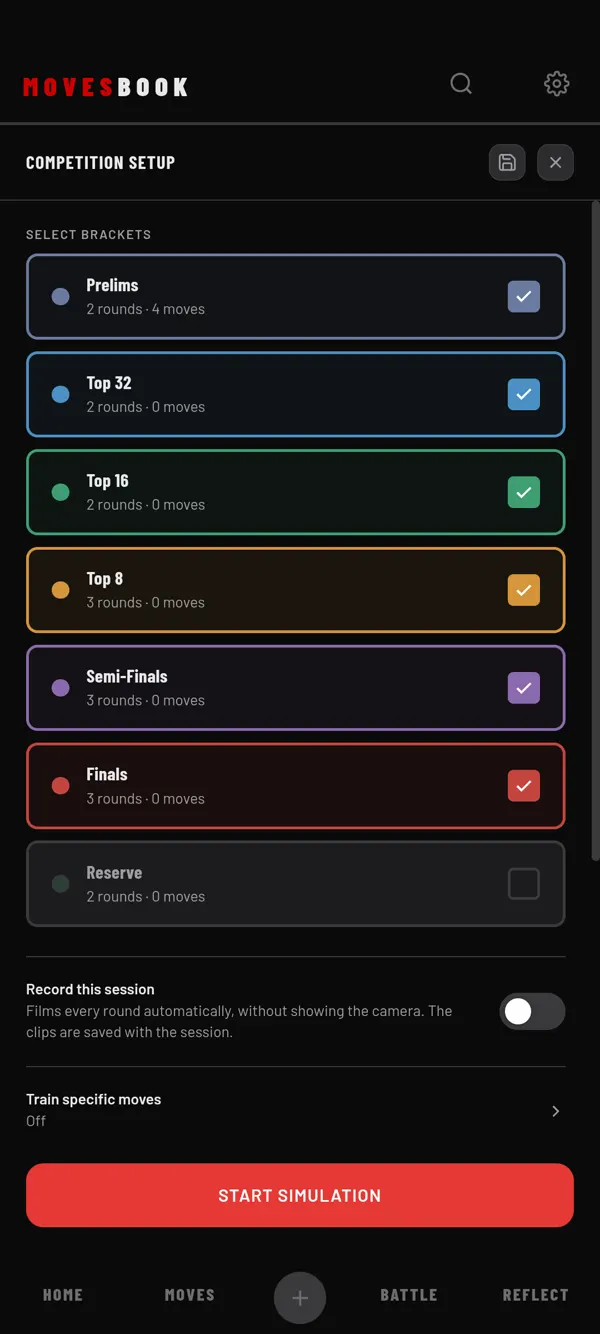
Steps
- Tap BATTLE, then PLAN.
- Tap SIMULATE COMPETITION. You need 2 or more rounds, and Battle Mode must be off.
- Under SELECT BRACKETS, tick the brackets to dance. Your brackets are your PLAN rounds.
- Pick a REST RATIO: 50% to 200%, or Random.
- Optional: tap CUSTOMISE to set ROUNDS PER BRACKET (1 to 5) and the BREAK TIME after each bracket (5 to 30 min).
- Tap START SIMULATION.
- Tap the screen to start the first round. Dance.
- Tap anywhere to end the round. Rest counts down, and the next round starts by itself.
- After a bracket, tap REST PERIOD to start the break. Tap SKIP WAIT if you are ready sooner.
- On the finish screen, add notes if you want, then tap SAVE COMPETITION.
How rest works
Rest is your round length times the ratio. Random picks a new ratio each round.
The rest time is hidden at first, like in a battle. Tap SHOW to see it, HIDE to hide it again. In the last 5 seconds you hear beeps and see GET READY.
END BRACKET ends the bracket you are in. The rounds you danced are kept.
Free limit
Free runs up to 3 brackets per simulation. The counter beside SELECT BRACKETS shows, for example, 3 OF 3 BRACKETS. Ticking one more opens the plans sheet. Premium has no counter. See plans and pricing.
The finish screen
You see your brackets, rounds, total time and average round. ROUNDS lists every round with its work and rest time. Add NOTES and check-ins, then tap SAVE COMPETITION. DISCARD throws the run away.
Saved runs show in REFLECT › SESSIONS as COMPETITION SIMULATION.
Last checked against app version 2.8.0.