Video
Record your spar rounds
- Phone app only
Film every round of a Spar or Competition Simulator session automatically, and watch the last round while you rest.
Steps
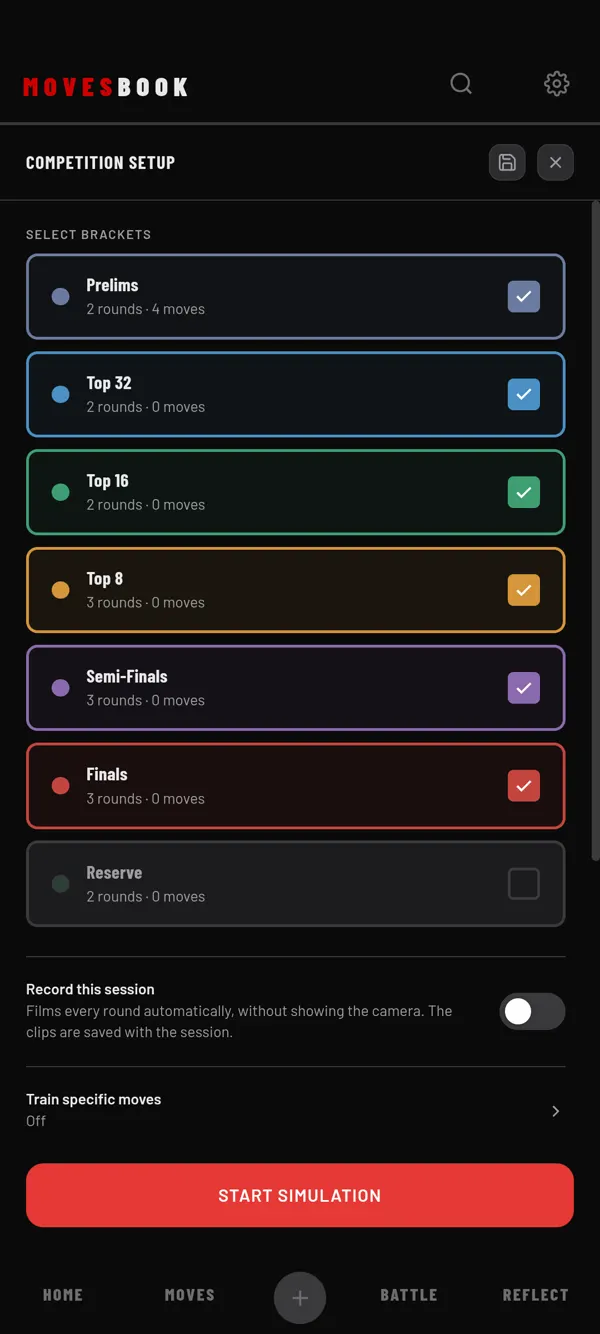
- Tap BATTLE, then RIVALS, then START SPAR. For the Competition Simulator, tap BATTLE, then PLAN, then SIMULATE COMPETITION.
- On the setup screen, turn on Record this session. It is off every time.
- Optional: tap the chips to pick the front (F) or back (B) camera and 720p or 1080p.
- Start the session and place your phone so it sees you.
- Dance your rounds. Each round is filmed from start to end.
- At the end, look at ROUNDS on the finish screen. Each round has its video.
- Tap SAVE SESSION (or SAVE COMPETITION).
While you train, the camera picture is hidden. A red dot with F or B in the top bar shows it is filming.
Watch the last round while you rest
In a rest of 5 seconds or more, Show the last round plays the round you just danced. It plays muted and on repeat. Turn its switch off to hide it, and the app remembers. If the round's video is not ready in time, that rest has no replay.
On the finish screen
- Tap a round's video to watch it. Trim it with SET AS CLIP, or tap SAVE TO… to add it to a move or set.
- Tap the bin to delete a round's video.
How many you can keep
Filming every round is free. Free keeps one round's video a day. The first round is picked for you and shows KEPT. Tap KEEP THIS ONE on another round to change it. When you save, the other videos are deleted.
If today's free video is already kept, the chip shows 1 of 1 today and every video is deleted when you save. Tapping the chip opens the plans sheet. Premium keeps every round. See plans and pricing.
Last checked against app version 2.8.0.