Your day on HOME
Track an injury
- Free
Log an injury with its body part and severity, watch the day count on HOME, and mark it resolved when it heals.
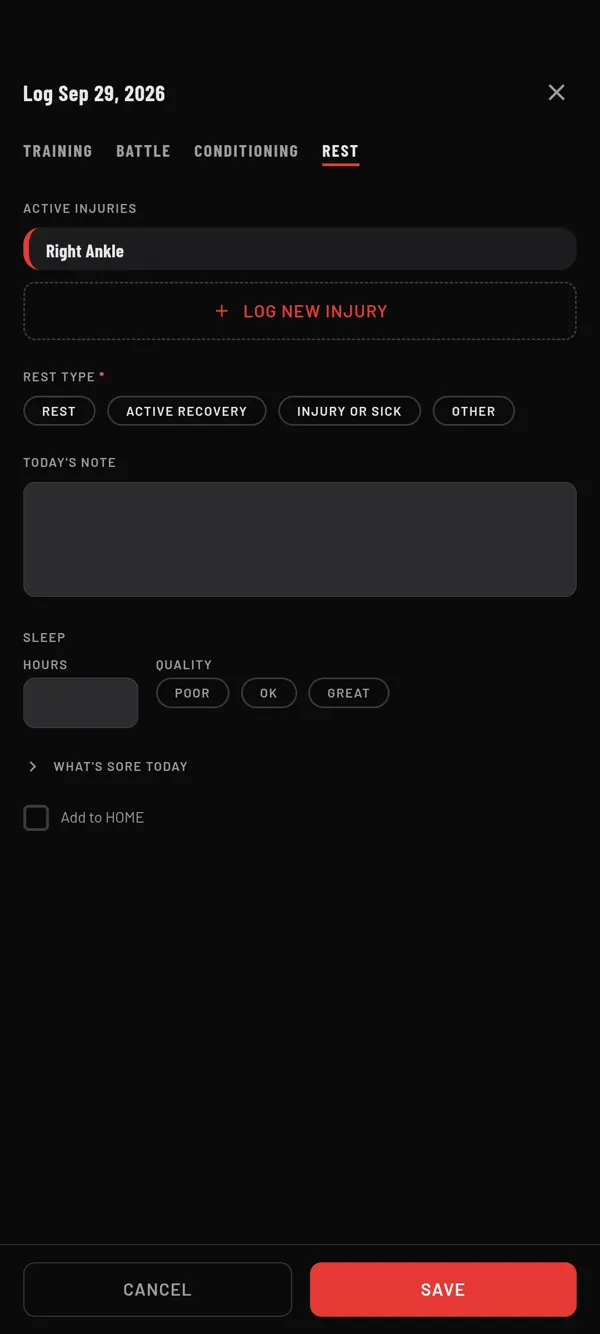
Steps
- On HOME, tap the LOG TODAY tile. Or tap +, then Log Today.
- Tap the REST tab.
- Tap LOG NEW INJURY. The NEW INJURY window opens.
- Under BODY PART, tap where it hurts.
- Under SEVERITY, tap MILD, MODERATE or SEVERE.
- Check the START DATE. It starts on today.
- If you like, write what happened under DESCRIPTION.
- Tap SAVE.
The injury is saved at once, even if you then close Log Today without saving.
Follow it on HOME
While an injury is not healed, it shows at the top of HOME on every day. Each row shows the body part and the day count, for example "Left Shoulder · Day 3". The start date is Day 1. The colour stripe shows how bad it is.
Up to three injuries show. More collapse into a line like + 2 more.
When it heals
- Tap the injury at the top of HOME. The EDIT INJURY window opens.
- Tap MARK AS RESOLVED. You see the date, and Anything to remember to prevent this?.
- Write a note if you want, then tap SAVE.
The injury leaves HOME. You can still find it in My Book. See Find old notes and put them back on HOME.
Tapped it by mistake? Tap REOPEN before you save.
Last checked against app version 2.8.0.