Your moves
Set how hard a move is
Mark a move as Easy, Intermediate or Advanced. Difficulty changes how long its level holds before it starts to fade.
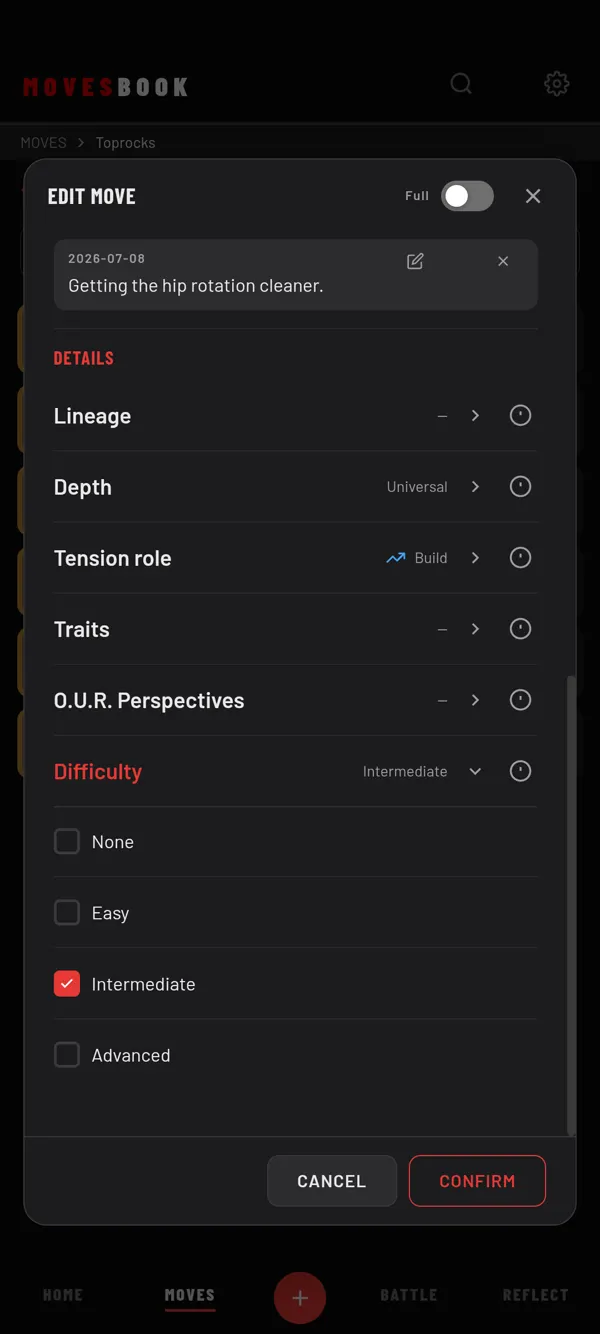
Steps
- Tap a move to open EDIT MOVE.
- Scroll to DETAILS. In Simple mode, switch to Full first, or tick Difficulty under Settings › MOVES › Simple mode fields.
- Tap the Difficulty row.
- Tap None, Easy, Intermediate or Advanced. The row closes.
- Tap CONFIRM.
Tap ⓘ next to the row for a short explanation.
What it changes
Difficulty sets how long a move keeps its full level after you last trained it:
| Difficulty | Holds for |
|---|---|
| Easy | 45 days |
| None or Intermediate | 30 days |
| Advanced | 21 days |
After that, its level starts to drop in your library. An easy move holds the longest. An advanced move fades first. See Keep moves fresh with Execution Decay.
Last checked against app version 2.8.0.